
Turn travel posts into places you keep.
Share an Instagram, TikTok, or YouTube post to DocentPro. Every place inside it is saved to your collection, automatically.
You save the posts. You never go back to them.
Hundreds of bookmarks. Half a dozen apps. The places you loved sit buried in a feed you will never scroll back through. SpotFetch turns those posts into a searchable collection of real places, so your next trip starts with a list you actually want to visit.
Three taps from feed to itinerary.
SpotFetch reads the captions, on-screen text, and location tags so you do not have to.
- 1
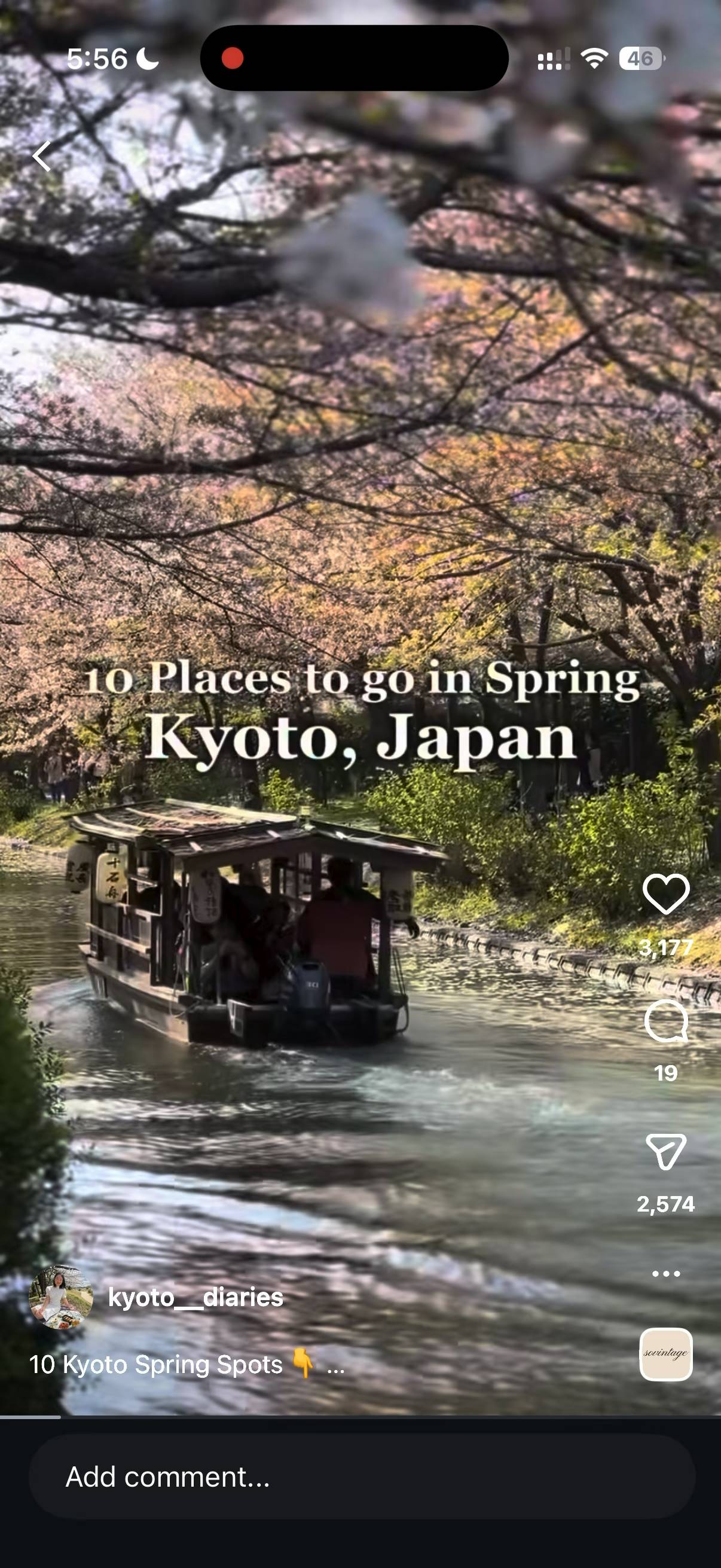
Find a travel post you love.
Browse Instagram, TikTok, or YouTube for the places you want to visit. No more bookmarks you never open again.
- 2
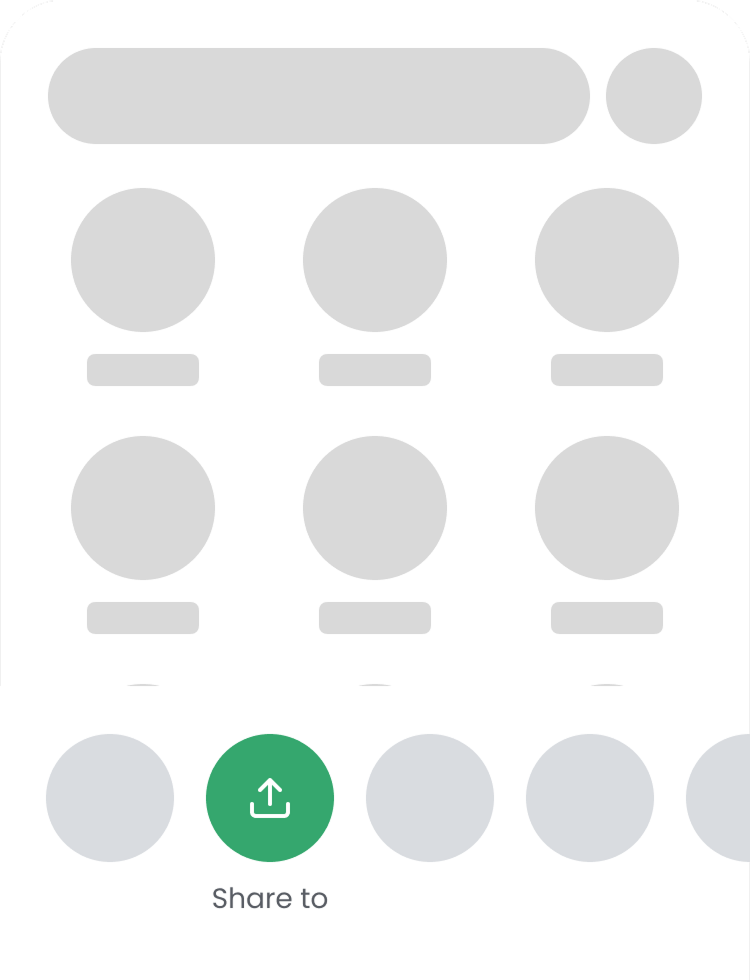
Share it to DocentPro.
Tap the share button in Instagram, TikTok, or YouTube and choose DocentPro. SpotFetch reads the captions, on-screen text, and location tags and pulls out every place mentioned.
- 3
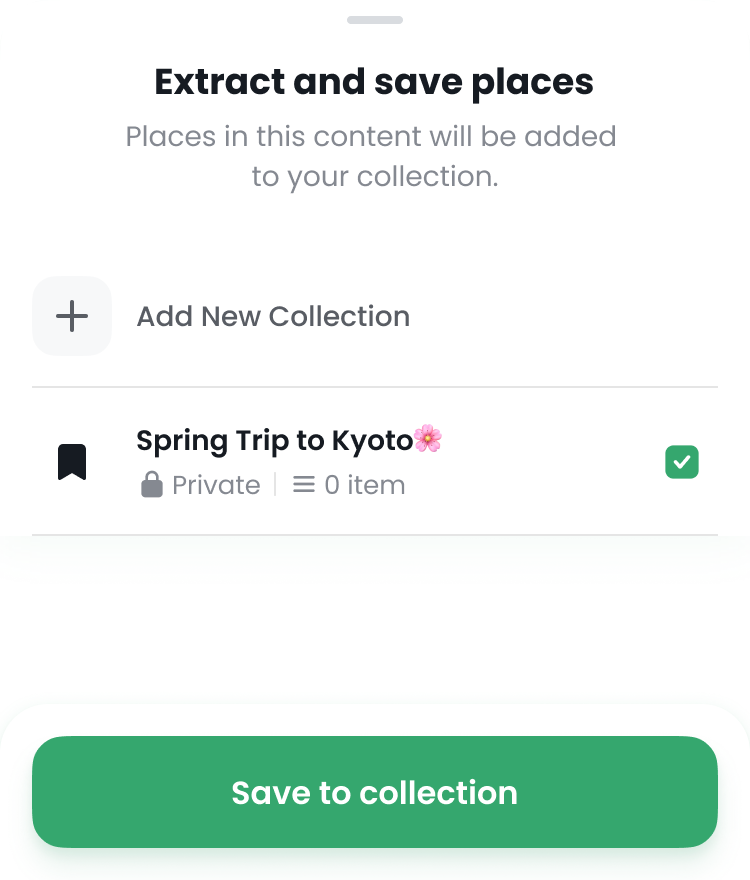
Save to a collection.
Pick an existing collection or create a new one. SpotFetch adds every place from the post in a couple of minutes, ready to see in a list alongside a contextual map.
Works with the apps you already use.
Instagram
Reels and posts. Share with the Instagram share button.
TikTok
TikTok videos, including ones with on-screen text or location tags.
YouTube
Videos and Shorts. Travel vlogs and food reviews work especially well.
Also supports screenshots and pasted text.
Try SpotFetch in DocentPro.
Free to install. Works on iPhone and Android. The first share takes a couple of minutes.
 Scan to install DocentPro.
Frequently asked questions.
Which platforms does SpotFetch support?
SpotFetch works with Instagram reels and posts, TikTok videos, and YouTube videos and Shorts. As long as you can hit the share button, you can send the content to DocentPro.
What else can I share besides social posts?
SpotFetch also extracts places from photos of menus, signs, or posters, screenshots, and pasted text. Add any of these inside the DocentPro app and SpotFetch saves the places they mention to your collection.
Is SpotFetch free?
Yes. SpotFetch is included with DocentPro at no cost. You only need a free DocentPro account.
How accurate is the place extraction?
SpotFetch uses AI to read captions, on-screen text, and location tags. For videos, it can also read the audio. Most travel posts produce accurate results in a couple of minutes. If a place is missing or wrong, you can edit or remove it inside the app.
Where do my saved places go?
Every place SpotFetch finds lands in your DocentPro collection. Open it to see your list of places alongside a contextual map, group them into trips, or tap any spot for its details.
How do I get started?
Install DocentPro from the App Store or Google Play, open the app, and find the SpotFetch guide in Settings. It walks you through your first share.