
Best Apps to Save Places from TikTok, Instagram Reels & YouTube (2026 Comparison)

travel_made_easy
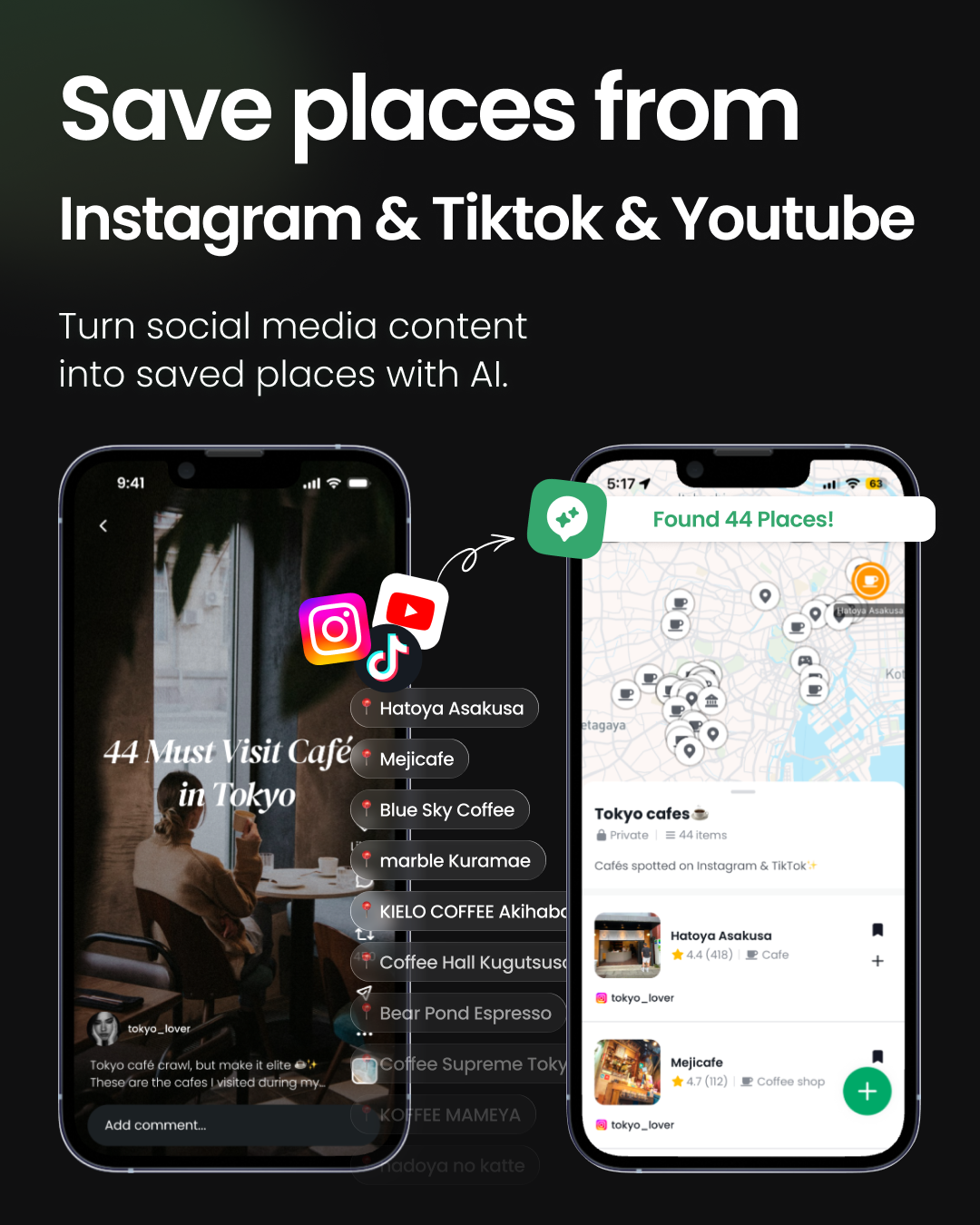
Updated August 2026: DocentPro's place extraction now also works with Facebook posts, Google Maps saved lists, website links, screenshots and pasted text. The comparison table below has new rows for these sources.
You watch an Instagram Reel with five amazing cafes in Seoul. You tap save. Three weeks later, you're planning the trip, and that Reel is buried under 300 other saved posts. You can't remember which video had that cafe with the hanok courtyard.
If that sounds familiar, you're the reason a whole category of apps now exists: tools that pull the actual places out of TikToks, Instagram Reels and YouTube videos and put them on a map. We compared the main options in 2026, including our own app, DocentPro, so read the sections below with that in mind. Where a competitor is the better fit, we say so.
The short answer
- If you want the full journey (extract places from TikTok, Instagram Reels, YouTube, Facebook, Google Maps lists, websites and even screenshots, get an AI-built itinerary, and book your hotel in the same app): DocentPro (iOS & Android)
- If you save more than places (posts, recipes and products from Instagram, TikTok, Facebook, X, Reddit, Pinterest and the web) and you'll plan the trip somewhere else: Stasht
- If you save places manually and love a beautiful personal map: Mapstr
- If you plan trips in a doc-style planner and don't need social media extraction: Wanderlog
Comparison table
| DocentPro | Stasht | Plotline | GoPlaces* | Mapstr | Wanderlog | |
|---|---|---|---|---|---|---|
| Extracts places from Instagram Reels | ✅ | ✅ | ✅ | ✅ | ❌ (manual) | ❌ |
| Extracts places from TikTok | ✅ | ✅ | ✅ | ✅ | ❌ | ❌ |
| Extracts places from YouTube | ✅ | ✅ | ❌ | ✅ | ❌ | ❌ |
| Extracts places from Facebook | ✅ | ✅ | ❌ | ❌ | ❌ | ❌ |
| Imports Google Maps saved lists | ✅ | ❌ | ✅ (links) | ✅* | ✅ (import) | ✅ |
| Extracts places from any website link | ✅ | ✅ | ✅ | ❌ | ❌ | ❌ |
| Extracts places from screenshots & pasted text | ✅ | ✅ (screenshots) | ❌ | ❌ | ❌ | ❌ |
| AI itinerary from your saved places | ✅ | ❌ | ✅ | ✅* | ❌ | partial (AI suggestions, no social import) |
| Hotel booking in-app | ✅ | ❌ | ❌ | ✅* | ❌ | links out |
| Nearby activities & tours | ✅ | ❌ | ❌ | ✅* | ❌ | ✅ |
| iOS + Android | ✅ both | ✅ both | iOS only | unclear* | ✅ both | ✅ both |
| Available today, free to start | ✅ | ✅ | ✅ | waitlist* | ✅ | ✅ (freemium) |
*GoPlaces advertises extraction, AI itineraries and booking, but as of August 2026 it is still in waitlist/early-access, so we could not verify these features in a live app. We'll update this table when it launches.
Feature availability checked August 2026 against each product's official site. Tell us if something changed and we'll update the table.
How these apps actually differ
The category splits into three generations, and knowing which generation an app belongs to tells you what it will and won't do for you.
Generation 1: manual place diaries
Mapstr is the classic. Millions of users keep a personal map of favorite spots, and it's lovely, but you do the typing. Nothing gets extracted from social media; the app doesn't know your saved Reels exist. It can import the Google Maps addresses you already saved, so the typing you did elsewhere carries over, but new discoveries still go in by hand.
Generation 2: social save apps
Stasht, Plotline and GoPlaces do one thing well: share a TikTok or an Instagram Reel to the app, and the places mentioned appear on your map. Stasht deserves credit as the broadest general-purpose saver: it captures posts, recipes and products from Instagram, TikTok, Facebook, X, Reddit, YouTube, Pinterest and the web, plus screenshots, and runs on iOS, Android and desktop. If you want one inbox for everything you save, it's a solid choice. Plotline has started climbing the stack too: it now builds a day-by-day itinerary from your pins, though it remains iOS-only and stops short of booking. But for a traveler, capture is still the easy half. The limitation shows up after saving: your places sit on a map, and the actual trip planning and booking happen somewhere else, usually in a spreadsheet or a group chat.
Generation 3: from saved content to a booked trip
This is where DocentPro sits, and, full disclosure, it's ours. The capture step now covers most of the internet: share a post or video from Instagram, TikTok, YouTube or Facebook, paste any website link or plain text, upload a screenshot or a photo of a menu, or import a whole Google Maps saved list, and DocentPro's SpotFetch feature extracts the places into a collection. The difference is what happens next, inside the same app: tap once and AI turns the collection into a day-by-day itinerary, suggests activities near your saved spots, and lets you book the hotel without leaving the app. Save apps end at the map; AI trip planners (Mindtrip, Layla and friends) start from a blank prompt. DocentPro starts from the Reels you already saved and ends at a trip you can actually walk out the door with. GoPlaces is promising the same journey, which we take as a sign this is where the category is heading; today, DocentPro is the one you can download and use.
What "SpotFetch - saving places" looks like in practice
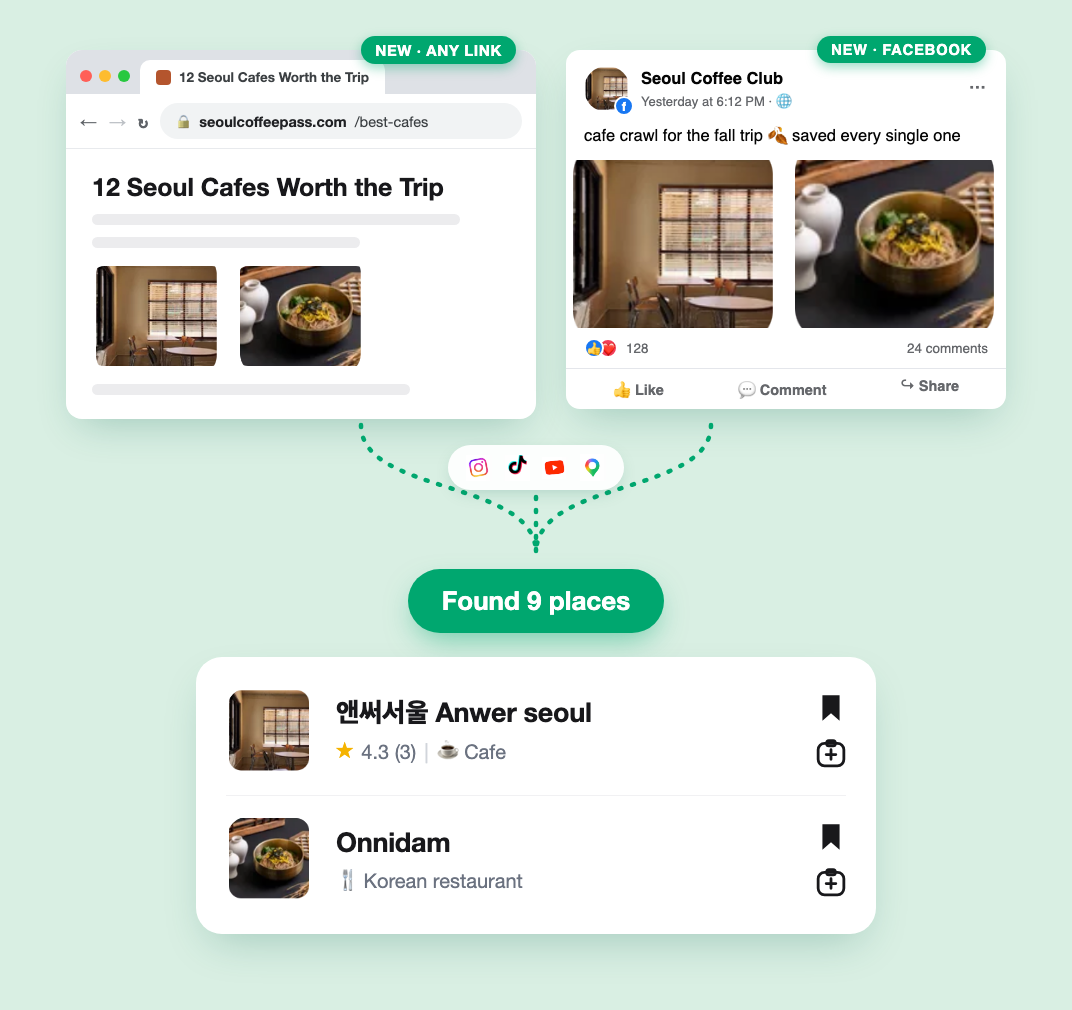
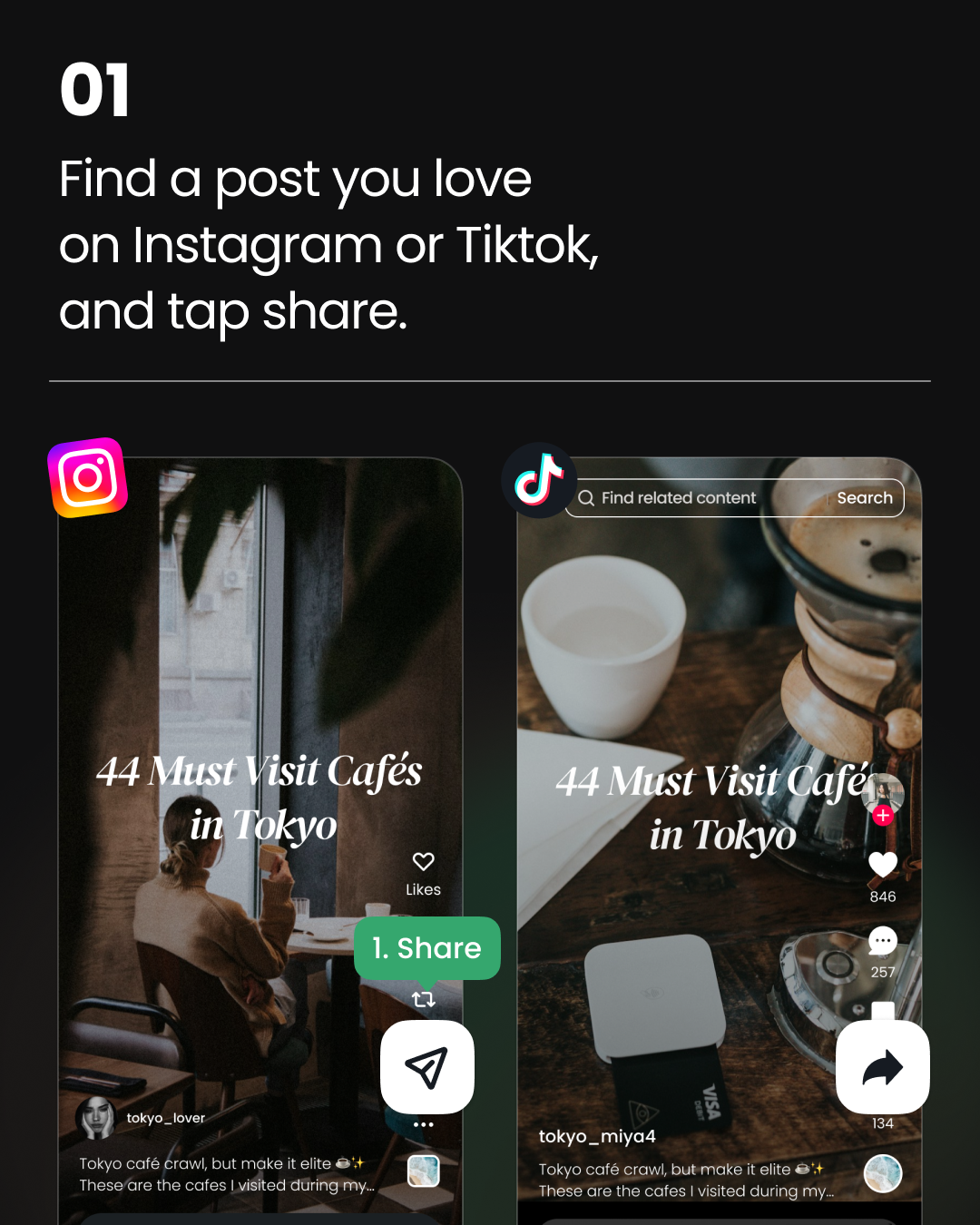
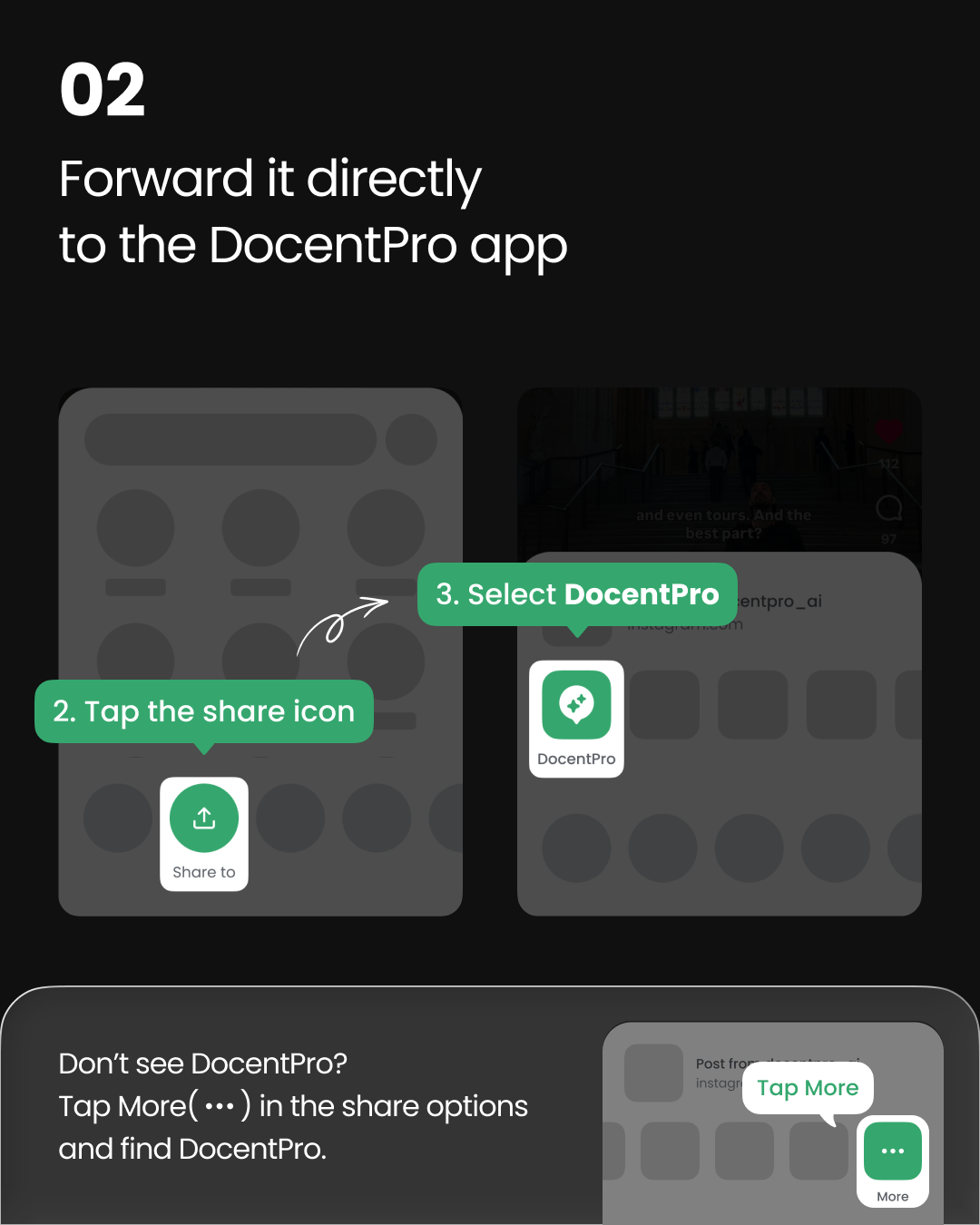
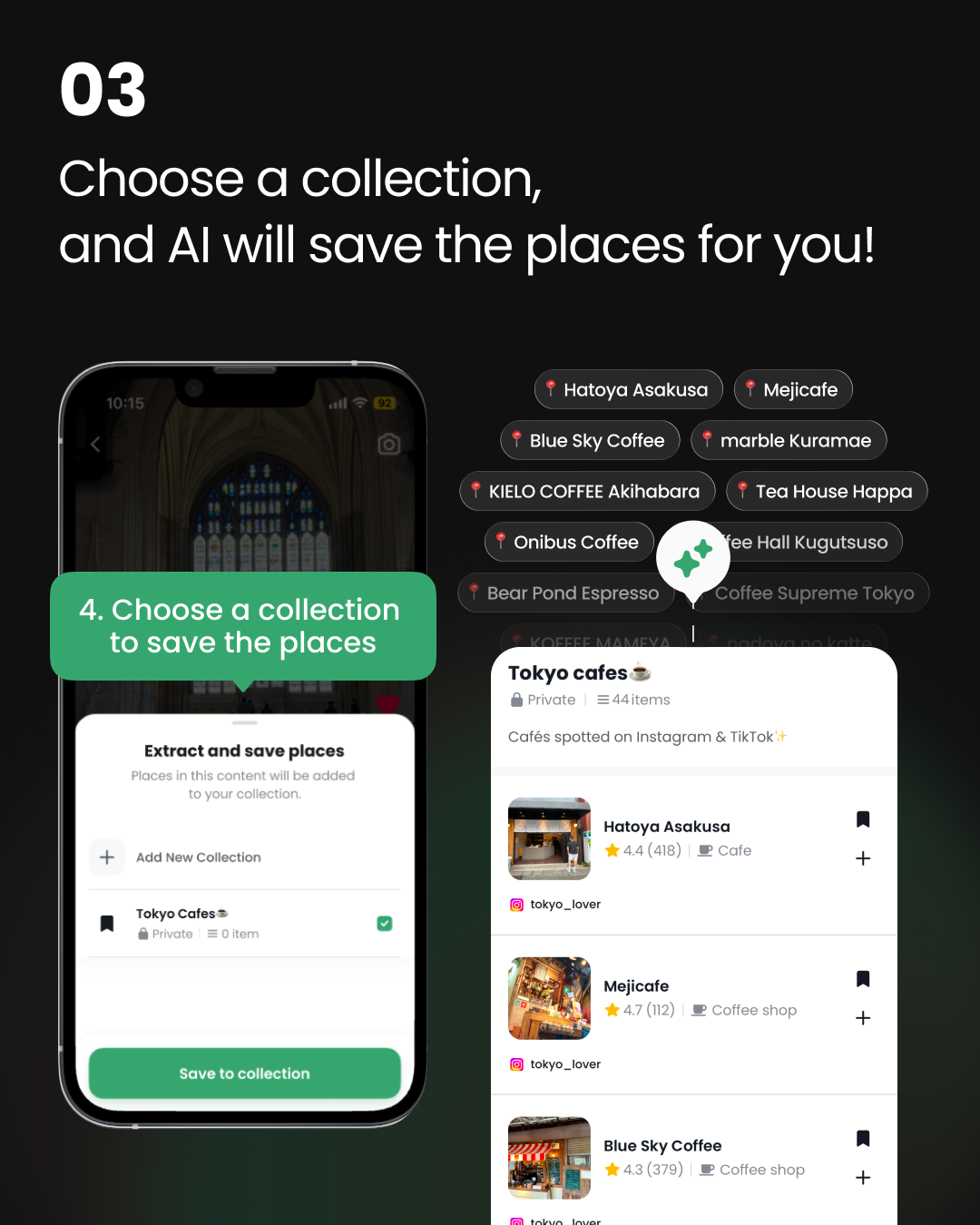
Here's a real example: this public collection was built from three viral Seoul food videos in under a minute: Naeng-myeon in South Korea - DocentPro Guide (Korea must visit 2026). You can open it without installing anything; the app is only needed when you want to save it, remix it, or have AI turn it into an itinerary. And it works anywhere in the world, not just Seoul: Tokyo, Paris, Mexico City, wherever your saved videos point. The same share flow also accepts more than social video: a Facebook post, a Google Maps list link, a travel blog article, a screenshot of a menu, or a list of places a friend texted you all go through the same extraction.
Honest limitations
No tool is magic. For every app in this list, extraction quality depends on the content actually naming its places; a montage with no captions or location tags is hard for everyone, and for screenshots and photos it depends on the text being legible. In DocentPro, activity and tour bookings open our partner's page rather than completing fully in-app (hotel booking is fully in-app). And if you just want a pretty lifetime map of your neighborhood favorites rather than trip planning, Mapstr remains the nicest diary.
SpotFetch is the place-extraction feature of DocentPro. Try DocentPro free on iOS and Android, or browse a sample public collection (Korea must visit 2026) first.
Frequently asked questions
What's the best app to save places from TikTok?
If you're saving places for a trip you actually plan to take, DocentPro: the saved places become an AI-built itinerary with hotel booking in the same app, on iOS and Android. If you want one app for everything you save (recipes and products included) and you'll plan the trip elsewhere, Stasht is a strong general-purpose saver.
Can I save places from YouTube videos, not just TikTok and Instagram?
Yes. DocentPro and Stasht both extract places from YouTube videos and Shorts onto a map. DocentPro then goes further by turning them into an AI-built itinerary.
Which place-saving apps work on Android?
Among apps that save places from TikTok and Instagram, DocentPro, Stasht, Mapstr and Wanderlog support both iOS and Android. Plotline is iOS-only as of August 2026.
How do I turn saved TikTok places into an itinerary?
In DocentPro: save a few TikTok or Instagram videos to a collection, then tap AI Plan. It builds a day-by-day route from your saved places and fills gaps with nearby suggestions. Save-only apps require exporting to Google Maps and arranging things yourself.
Do place-saving apps work outside big cities, or outside Asia?
DocentPro works worldwide, in any country or city. Wherever the video's places are, extraction, AI planning and hotel booking work the same way. For every app in this category, coverage depends on the underlying map data rather than a fixed list of supported cities.
Is my data shared when I forward a Reel to a place-saving app?
Forwarding a post shares that post's link with the app, not your Instagram or TikTok account. DocentPro reads the public content of the link to extract place names.
Can I save places from Facebook posts?
Yes. DocentPro extracts places from public Facebook posts and videos the same way it does from Instagram and TikTok: share the post to the app and the named places land in a collection on a map. Stasht can also save Facebook posts, but it does not build an itinerary from them.
Can I import a Google Maps saved list into a trip planner?
Yes. DocentPro imports a Google Maps saved list from its share link and turns it into a collection you can map, plan and book from. Wanderlog and Mapstr can also import Google Maps places, and Plotline accepts individual Google Maps links.
Can I save places from a website, a screenshot, or plain text?
DocentPro extracts places from any website link, from screenshots or photos of menus and signs, and from pasted text, and puts them in the same collections as places saved from TikTok or Instagram. Among the other apps compared, Stasht saves websites and screenshots but does not turn them into an itinerary.
Related articles
Back to all articles