
How to Use AI to Plan a Trip in 2026: A Practical Guide

humbrolldo
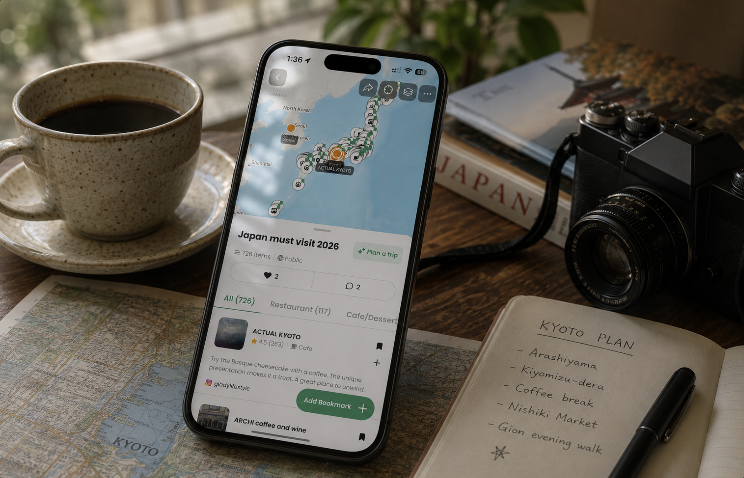
Ask ChatGPT for the best restaurants in Lisbon and you get a good answer. You also get the same answer as everyone else who asked that week.
Meanwhile the algorithm on your phone has spent two years learning that you like tiny natural wine counters, that you travel with a toddler, and that you will walk forty minutes for good coffee. It has been showing you exactly those places all along.
So stop asking a chatbot to invent a trip. Let the feed find the places, then let AI do what it is genuinely great at: structure, routing and decisions.
DocentPro is our own app and it sits at the end of this workflow, so read the sections below with that in mind. Where another tool wins a step, we say so.
The short answer
- The full chain (places pulled out of your Instagram, TikTok and YouTube saves, an AI itinerary built from them, a hotel booked in the same app): DocentPro, on iOS and Android.
- Deep, open-ended research before you commit: ChatGPT or Claude, then bring the text back to a place extractor.
- The biggest travel database and local events: Mindtrip.
- A conversational agent that prices and books for you: Layla.
- A free, doc-style planner for a trip you already researched: Wanderlog.
Step 1: Let the algorithm do discovery, not the chatbot
A language model answers a question. A recommendation feed answers a person.
Instagram, TikTok and YouTube have been trained on your behavior specifically: what you paused on, what you saved, what you sent to a friend at 1am. When a Reel about a neighborhood coffee bar reaches you, it reached you because the system already believes it fits you. A chatbot has no such signal.
So do not start with "plan me five days in Seoul". Start with the videos you already saved. They are a preference dataset about you that no prompt can reconstruct.
Step 2: Extract the places out of the videos
A saved Reel is not a plan. It is a locked box. Two months later you remember "the tiny wine place with the blue door" and nothing else, buried under 300 other saves.
Extraction opens the box: read the caption, the on-screen text and the description, identify the real venues, and drop each one on a map with an address, hours and photos.
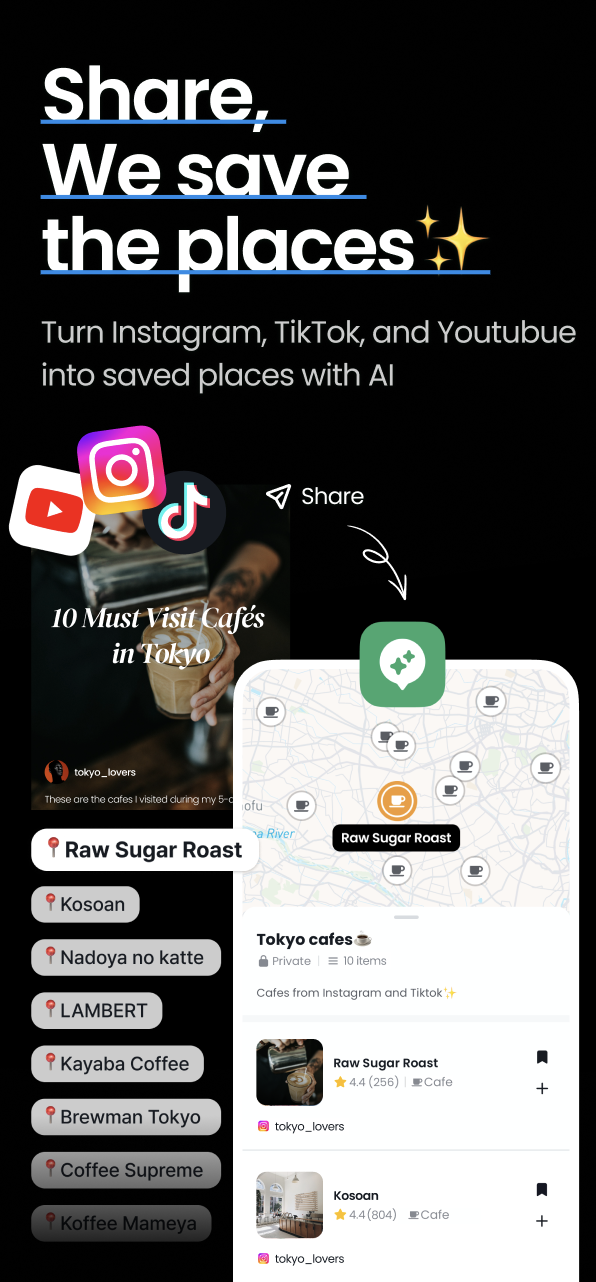
DocentPro's place-extraction feature does this for Instagram Reels, TikTok and YouTube (long videos and Shorts), plus screenshots and pasted text. Mindtrip comes at it from the map side, importing your saved Google Maps places into a collection you can plan with. Most AI planners skip this step and hand you a blank prompt instead.
The payoff is immediate. Six of your saves cluster in one neighborhood, two are an hour outside the city, one closed last year. You just learned the shape of your trip, and no chatbot told you.
Step 3: Use a general AI for depth, then bring the text back
This is where ChatGPT and Claude beat us, and we would rather you use them.
Open-ended research is their home turf: compare two neighborhoods for a family with a stroller, check what is actually open in Kyoto in early January, weigh one late-night food district against another. Deep research returns long, specific prose with dozens of venue names buried in it.
But prose is not a trip. Paste that text into DocentPro and the place-extraction feature pulls every venue onto the same map as your Reels, so your algorithmic discoveries and your researched shortlist finally sit side by side.
One honest note: assistant memory personalizes how a chatbot talks to you, not what your feed shows you. No Instagram, TikTok or YouTube feed connection is advertised in ChatGPT's official app listings as of July 2026. That is exactly why Step 1 and Step 3 are different steps.
Step 4: Route first, hotel second, everything else third
Thirty places on a map is the moment AI earns its keep.
Humans are terrible at routing. We plan by category ("food day", "museum day") and cross the city four times. AI is very good at it: cluster by geography, respect opening hours, put the long walk in the cool part of the day, leave one gap for whatever you find on the spot.
<img src="REPLACE-ai-itinerary-route-and-hotel-docentpro.png" alt="AI itinerary showing a day route with a hotel chosen inside the cluster of saved places" style="width:100%;max-width:820px;height:auto;border-radius:14px;" />The order matters, because each decision constrains the next:
- Route first. Group your saved places into days by where they actually are.
- Hotel second. Once you know where your days happen, the right hotel is the one inside the cluster, not the one with the best photos in a neighborhood you will never walk through. DocentPro recommends hotels that fit the trip you built and books them in the app. Mindtrip and Layla also book stays. Wanderlog compares prices and sends you to Booking.com or Google to finish.
- Activities and restaurants third. Fill the gaps around the anchors, never the reverse.
An itinerary built in that order survives contact with the actual trip. One generated from a blank prompt usually does not, because it never knew where you were sleeping.
Step 5: Keep it on your phone
Desktop planners are excellent right up to the moment you land.
Every decision that actually matters is in-destination: it is raining, the queue is ninety minutes, dinner fell through, you have three free hours. That is when an AI already holding your saved places, your route and your hotel is worth the most, because "what should we do instead, near here, in the next two hours" becomes an answerable question rather than a generic search. DocentPro, Mindtrip, Layla and Wanderlog all ship real mobile apps. A planner that lives in a laptop tab cannot help you on the street.
Bonus: plan the list together, not in a group chat
Trips with friends die in the same place every time: five people pasting links into a chat, nobody owning the list. In DocentPro a collection can be co-edited, so everyone adds what their own feed surfaced, which means five personalized algorithms feeding one map and the AI planning from the combined list. Credit where it is due: Wanderlog has had strong real-time collaborative editing for years, and Mindtrip lets a group add ideas, comments and likes to a trip.
Comparison table
| Feature | DocentPro | ChatGPT | Mindtrip | Layla | Wanderlog |
|---|---|---|---|---|---|
| Extracts places from Instagram Reels & TikTok | ✅ | ❌ | ✅* | ❌ | ❌ |
| Extracts places from YouTube videos & Shorts | ✅ | ❌ | ✅* | ❌ | ❌ |
| Extracts places from pasted AI research text | ✅ | ❌ | ✅* | ❌ | ❌ |
| Builds an itinerary from places you saved yourself | ✅ | ❌ (writes from text you paste) | ✅ | ❌ (generates from prompts) | ✅ |
| In-app hotel booking | ✅ | ❌ | ✅ | ✅ | ❌ (compares prices, links out) |
| Nearby activities & tours | ✅ | ❌ | ✅ | ✅ | ✅ |
| iOS + Android apps | ✅ | ✅ | ❌ (iOS only)* | ✅ | ✅ |
| Co-edit a place list with friends | ✅ | ❌ | ✅ | ❌ | ✅ |
| Available today, free to start | ✅ | ✅ | ✅ | ✅ | ✅ |
*Mindtrip's "Start Anywhere" advertises starting from a photo, screenshot, PDF, article or video, and its official pages do not name Instagram, TikTok or YouTube as supported sources, so per-platform extraction could not be verified. Mindtrip's official App Store listing is iPhone only as of July 2026 and we found no official Google Play listing, so Android could not be verified. ChatGPT can write an itinerary from a destination prompt or from text you paste, but it does not extract places from social video onto a map, which is why that row reads as a qualified no rather than a plain yes.
Feature availability checked July 2026 against each product's official site and app-store listing: DocentPro, ChatGPT and its Google Play listing, Mindtrip and its App Store listing, Layla and its App Store listing and Google Play listing, and Wanderlog. Tell us if something changed and we will update the table.
Why this works
Every tool in that table runs a similar class of model. The difference between a generic trip and one that feels like yours is not model quality. It is what the AI knows about you before it starts planning.
A chatbot starts from a prompt of forty words. Your feed starts from two years of behavior. The entire job is moving information from the second system into the first, and the five steps above are how you do it with any tools you like.
Where DocentPro fits
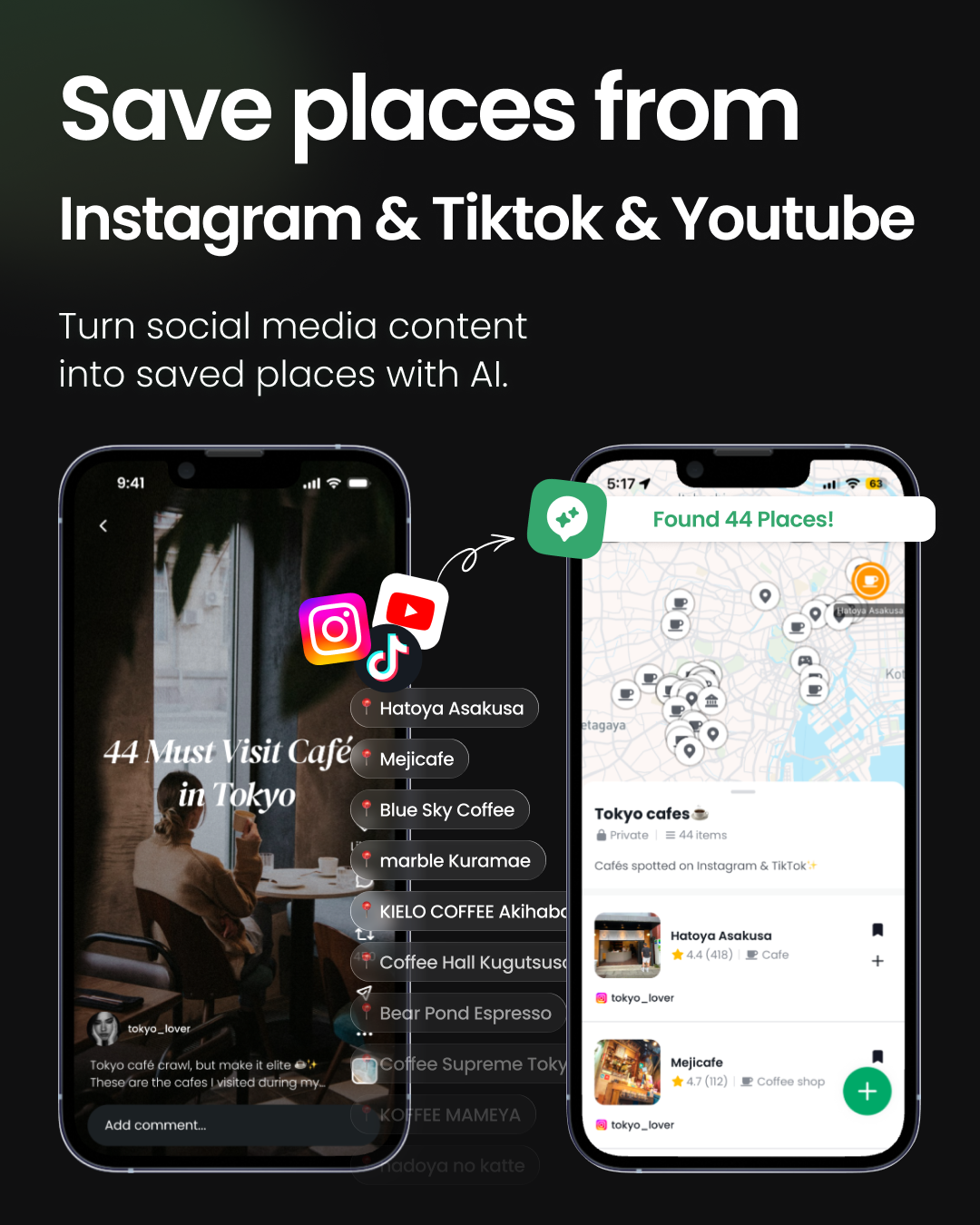
DocentPro is built for that chain end to end: pull the real places out of Instagram Reels, TikTok and YouTube videos, screenshots and pasted text; pin them on a map; turn them into a day-by-day itinerary; recommend and book a hotel that fits the route; and surface activities and restaurants around what you already saved. Collections can be co-edited, so a group can pool what each person's feed found. It runs on iOS and Android, anywhere in the world, which is the part that matters once you have landed.
Browse public collections on DocentPro to see what a finished, extracted map looks like before you build your own.
Honest limitations
Extraction is only as good as the video. If a creator names the venue in the caption, on screen or in the description, it is reliable. A moody montage with no names anywhere gives no app anything to work with, and you will be adding those by hand.
Our booking coverage is uneven by design: hotels are booked fully in the app, while activities and tours open a partner page to finish. If your trip is mostly tours, Layla may cover more of it in one place. If you want a free planner for a trip you already researched, Wanderlog does that well and costs nothing. If you want the largest travel database and local events, Mindtrip is the stronger pick. The case for DocentPro is specifically the chain: your feed, to a map, to a routed and booked trip you can steer while standing on the street.
Frequently asked questions
How do you use AI to plan a trip without getting generic tourist results?
Start from your own social feed instead of a blank prompt. Save the Instagram Reels, TikToks and YouTube videos that appeal to you, use DocentPro's place-extraction feature to pull the named venues onto a map, then let AI build the route, pick a hotel inside that route and fill the gaps. The personalization comes from the places you chose, so the itinerary reflects your taste rather than the most-searched results for that city.
Is ChatGPT good for planning a trip?
ChatGPT is strong for open-ended travel research: comparing neighborhoods, checking seasonality and drafting long explanations. It is weaker as the final planner, because it does not extract places from social video onto a map, does not book hotels, and does not read your Instagram, TikTok or YouTube recommendations, so it cannot personalize from your feed. Research in ChatGPT, then paste that text into a place extractor such as DocentPro so the venues it named become real pins.
How do you turn places saved from Instagram, TikTok and YouTube into a travel itinerary?
Share the saved videos into DocentPro, which extracts the places each video names and pins them on a map, then build the itinerary from those pins. DocentPro groups the places into days by geography, respects opening hours, suggests a hotel that sits inside the route and books it in the app. Most other AI travel planners require you to type the places in yourself, because they do not read social video.
Can AI turn a block of ChatGPT or Claude research text into a map of places?
Yes. DocentPro's place-extraction feature accepts pasted text as well as video links, so a long research answer can be converted into mapped places with addresses, hours and photos. This matters because deep research arrives as prose full of venue names, and prose cannot be routed, sequenced or booked until the places exist on a map.
Which AI travel planner works best while you are already at the destination?
A mobile app is required, because the decisions that matter in-destination (rain, long queues, a cancelled dinner, three unexpected free hours) happen while you are walking. DocentPro runs on iOS and Android and answers those questions using your own saved places, route and hotel, so suggestions stay near you and match what you already liked. Layla and Wanderlog also ship iOS and Android apps, while Mindtrip's official app listing is iPhone only as of July 2026.
Can you plan a trip with AI together with friends?
Yes. In DocentPro a collection can be co-edited through an invite link, so every traveler adds the places their own feed surfaced and the AI plans the days from the pooled list, which is more personalized than one person planning for the group. Wanderlog offers real-time collaborative editing of a trip plan, and Mindtrip lets a group add ideas, comments and likes to a shared trip.
Related articles
Explore on DocentPro




Back to all articles